Making API Key Management Easier to Scale
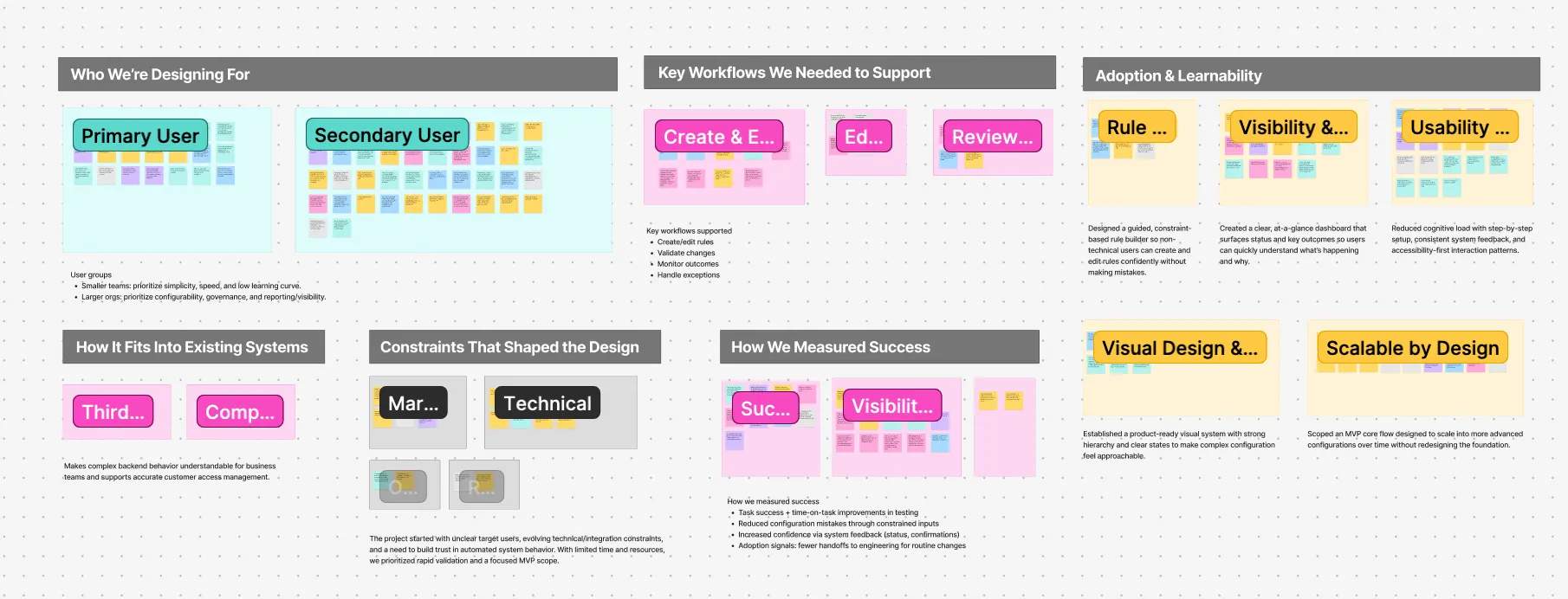
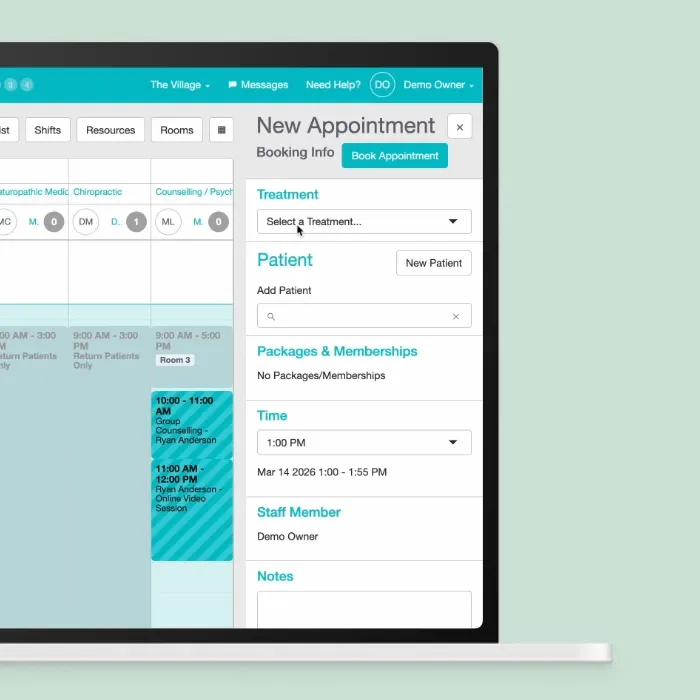
Coherent Spark is an enterprise platform that turns spreadsheet logic into production APIs for insurance and financial services teams.
As the platform grew, technical users needed a clearer way to review and manage an increasing number of API keys.
I owned the research, user flows, interface design, usability testing, and accessibility audit for the API key experience
Problem
Users needed to find the right API key, understand what it was connected to, and manage it confidently.
As the number of keys grew, the existing one page structure made those tasks harder. Users had to scan through groups and individual keys at the same time, expand sections to understand where keys belonged, and interpret unfamiliar terminology.
The challenge was not simply to reduce clicks. It was to make a growing system easier to understand.
Prototype
Impact
20.5% Faster task completion
Before-and-after usability test: five participants completing the same tasks.
~13% fewer support requests
Customer Success estimate for the first three months after launch.
Accessibility audit
Improved shared components with design and engineering; keyboard order and form labels remained in progress.
Research Approach
I tested the existing experience with five developers and system administrators who used Spark regularly. I asked them to complete common tasks such as finding, creating, and managing API keys.
Two problems kept coming up.
1. Unclear terminology Labels like “Instance Key” confused users and made it difficult to understand what they were managing.
2. The structure did not scale API groups, active keys, and inactive keys competed for space on the same screen. As more keys were added, finding the right one became slower and harder.
Three Decisions Shaped the Redesign
1. Use Language Users Already Understand
Users had to interpret unfamiliar labels and scan dense rows before they could act.
I simplified the terminology around API key groups and individual keys, added clearer supporting information, and surfaced details such as key counts, linked user groups, and recent activity where they were most useful.
Before
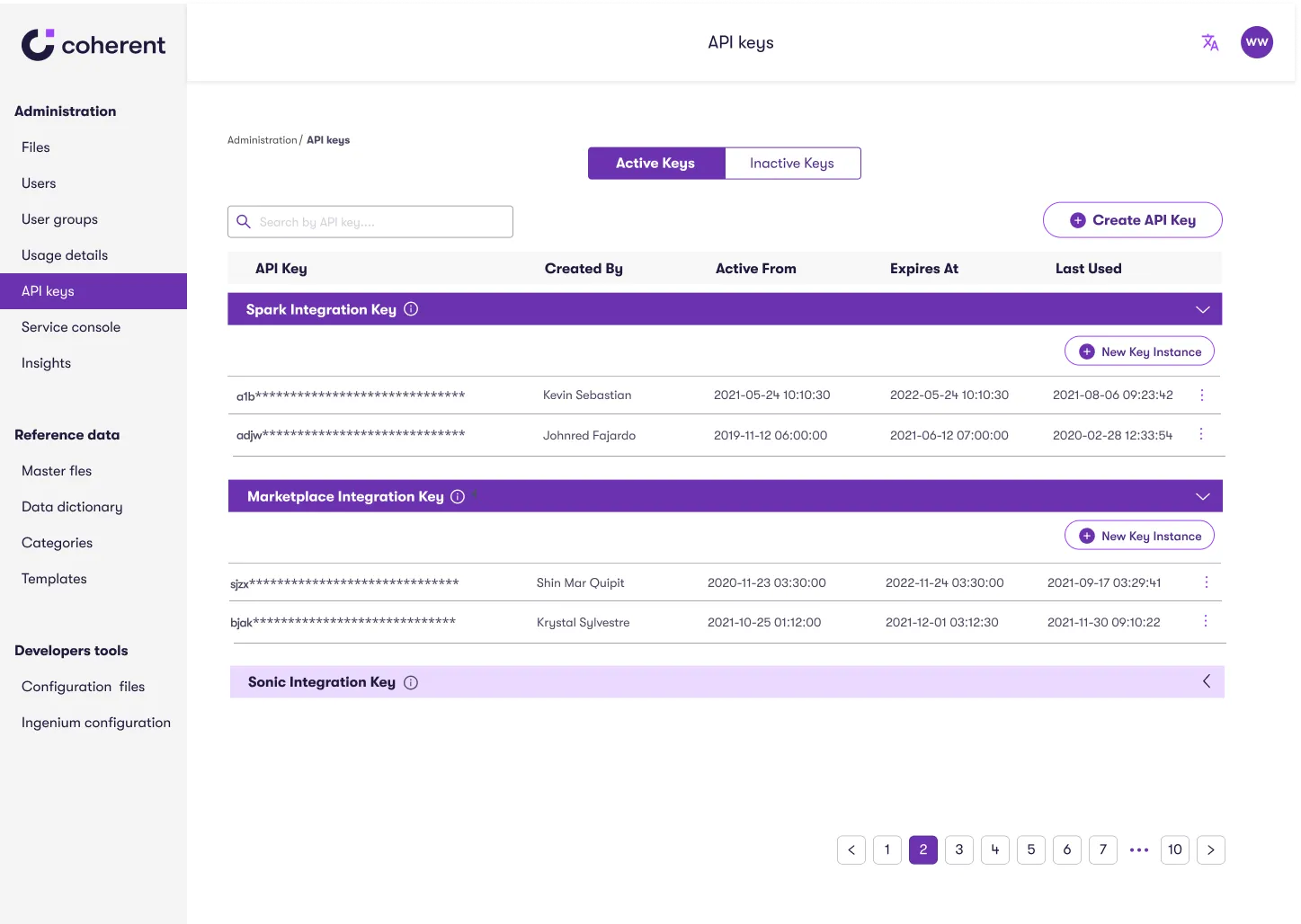

- Labels such as “Instance Key” and “Create API Key” were unclear
- Users could not immediately understand the purpose or status of a group
- Dates and supporting information were difficult to scan
After
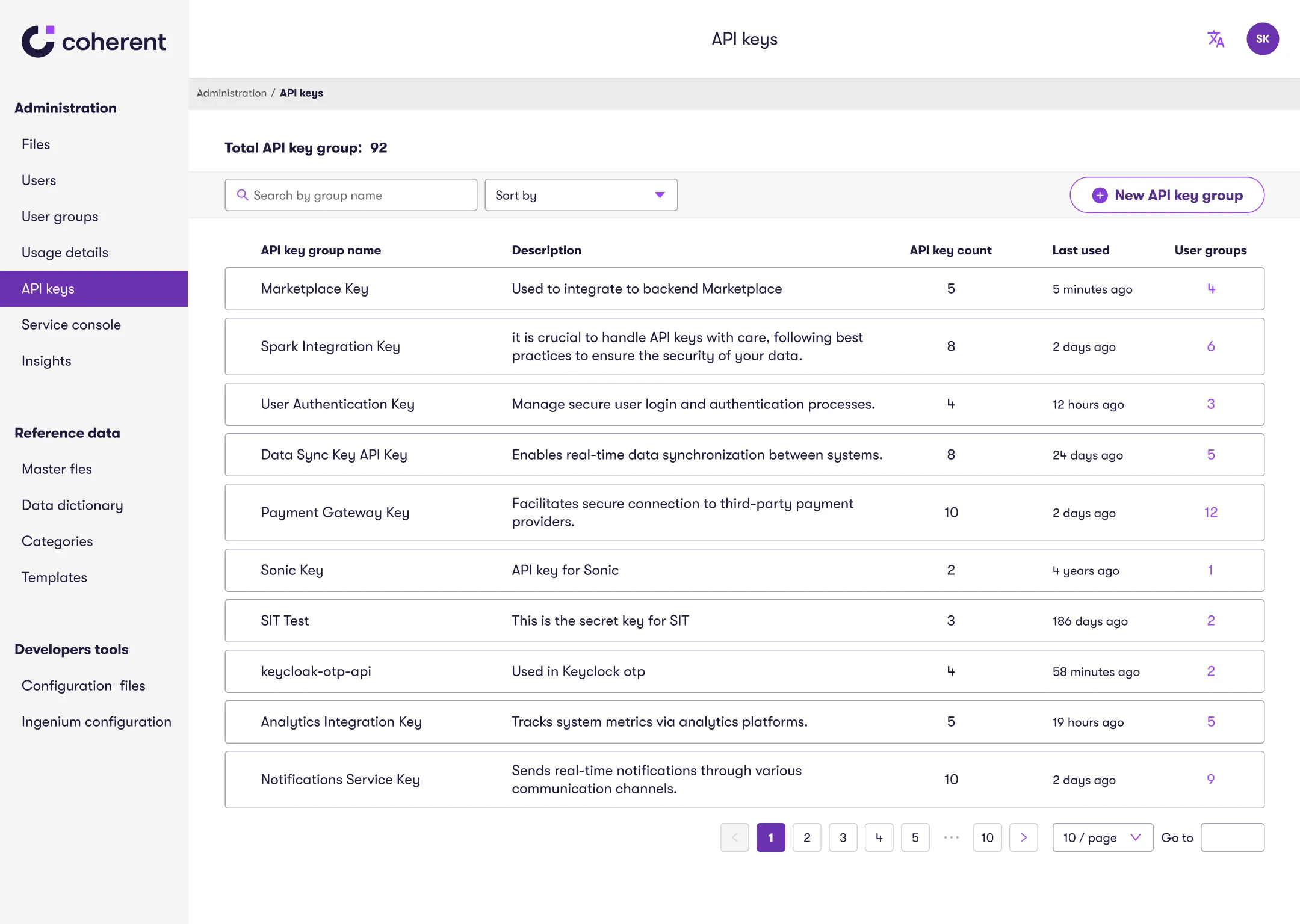

- Replaced internal terminology with clearer labels
- Added key counts, linked user groups, and clearer descriptions
- Used relative dates such as “5 minutes ago” to make recent activity easier to understand
2. Create a Structure That Could Scale
User flows alone did not make the alternatives clear to the CTO and developers. I created side-by-side mockups so we could compare usability, scalability, and engineering feasibility.
One page: groups and keys remain together, but compete for attention.
Two levels: adds navigation, but separates choosing a group from managing its keys.
Decision: prioritize a clearer structure as collections grow.
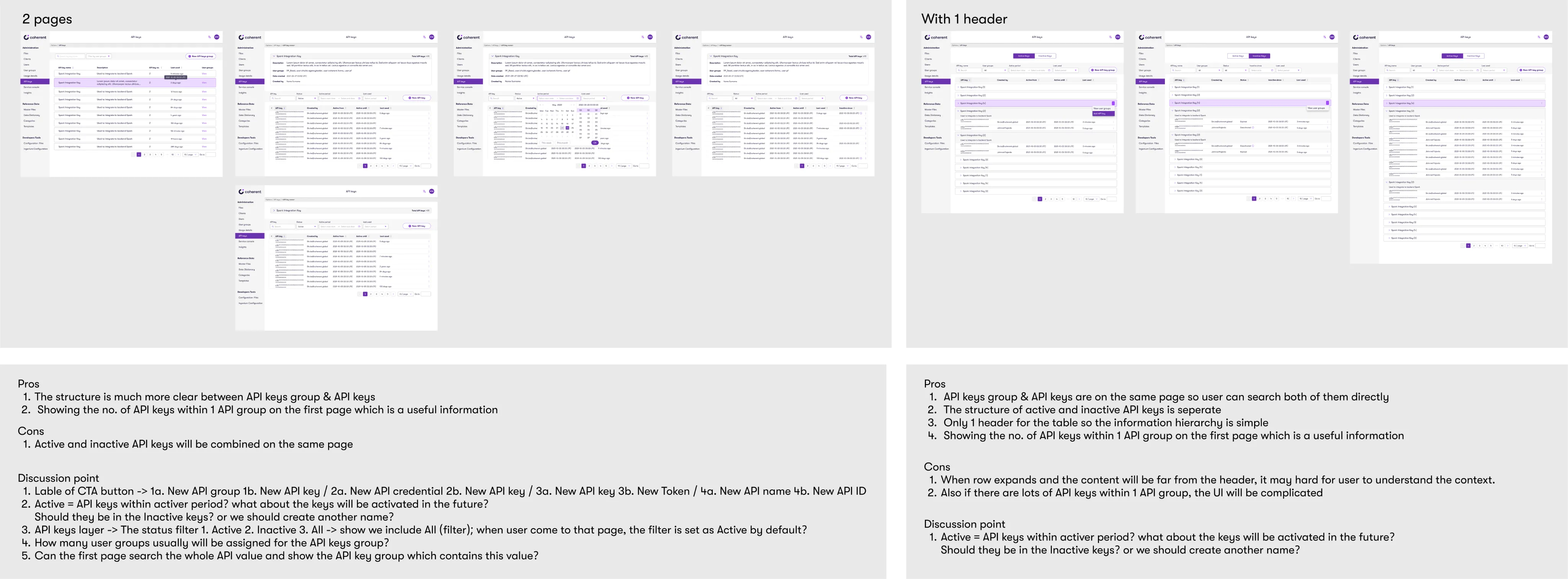
We chose the two level structure because separating group selection from key management gave each screen a clearer purpose.
Before
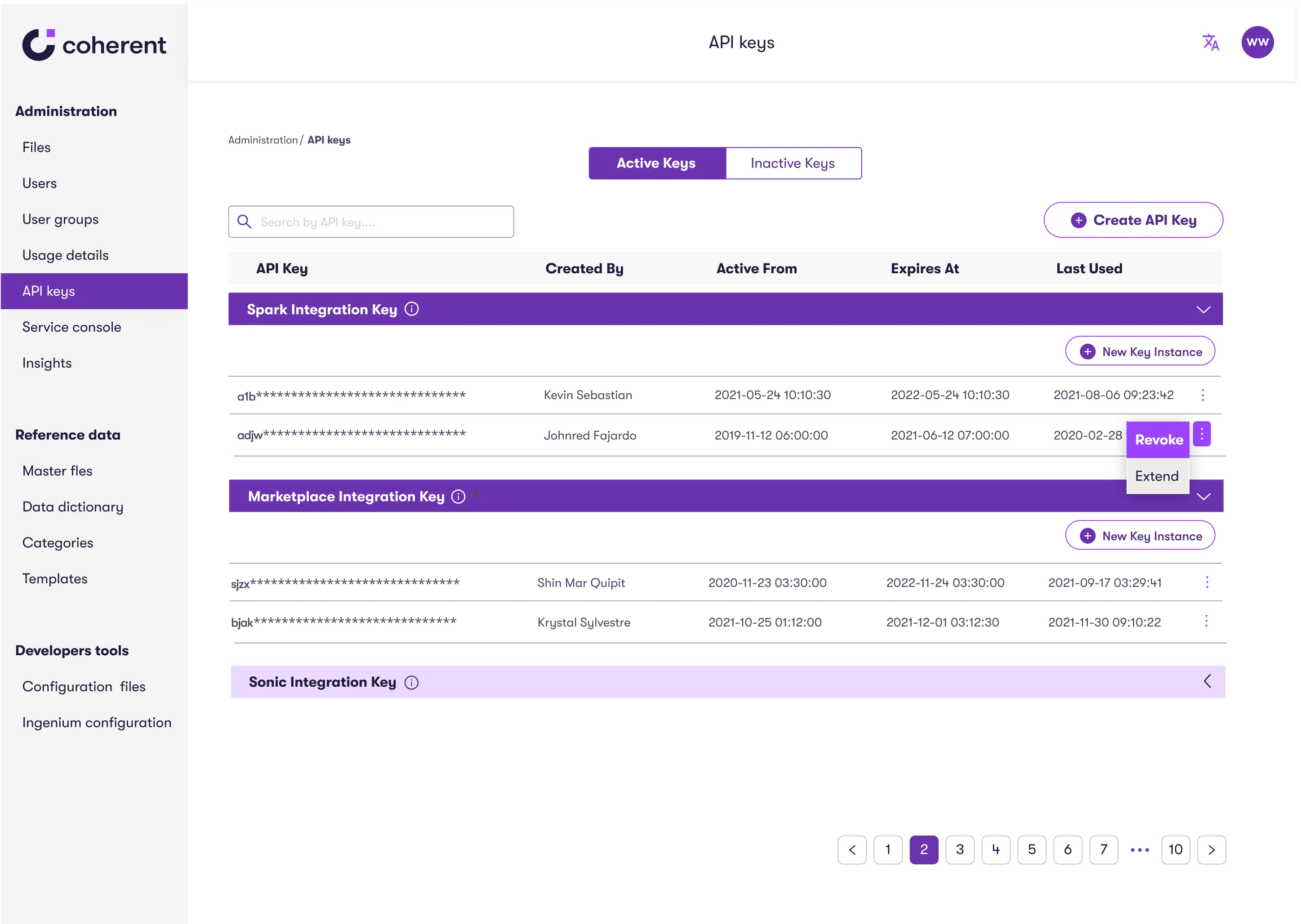
- Groups and individual keys competed for attention on the same screen
- Users had to expand sections to understand where keys belonged
After
- Users first choose an API key group
- Key management happens within that group, without unrelated information competing for attention
Tradeoff One more navigation step in exchange for a clearer structure as the number of keys grows.
This was a deliberate choice to reduce confusion rather than minimize clicks.
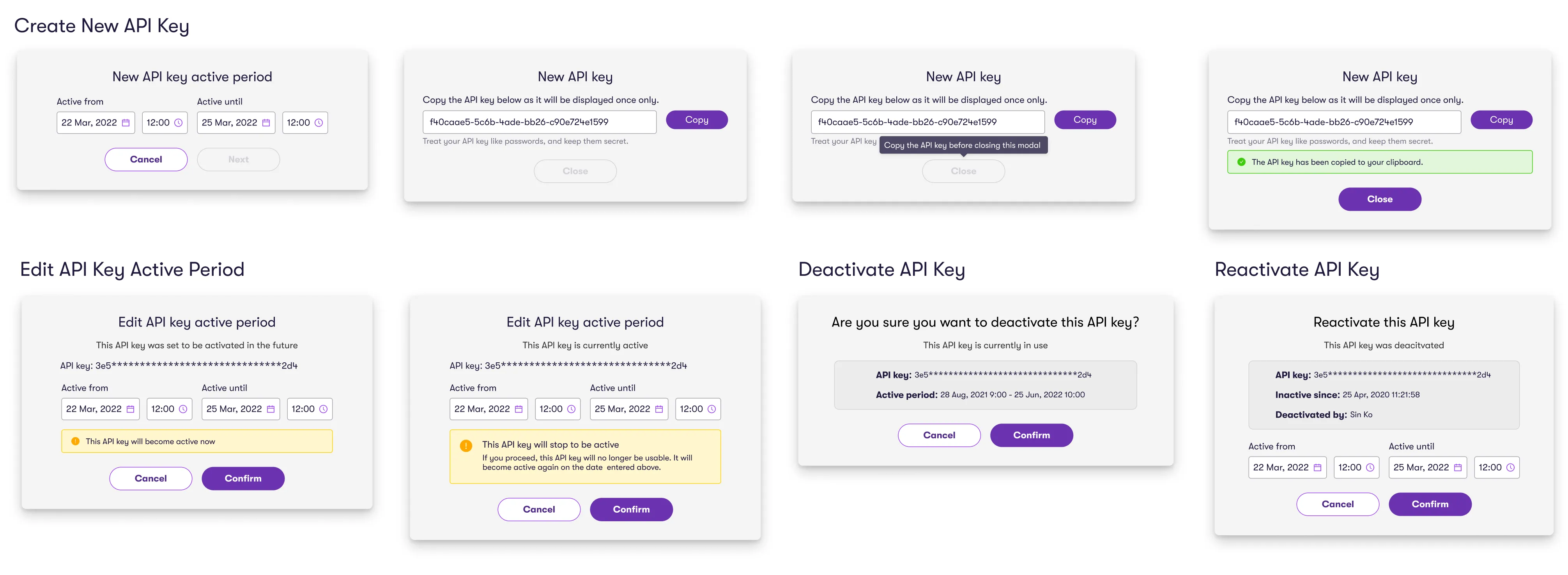
3. Keep Key Actions in Context
Managing a key often meant creating, deactivating, reactivating, or extending it.
I moved common actions closer to the key and used focused modal flows so users could complete those tasks without losing their place.
Improving Accessibility Beyond This Feature
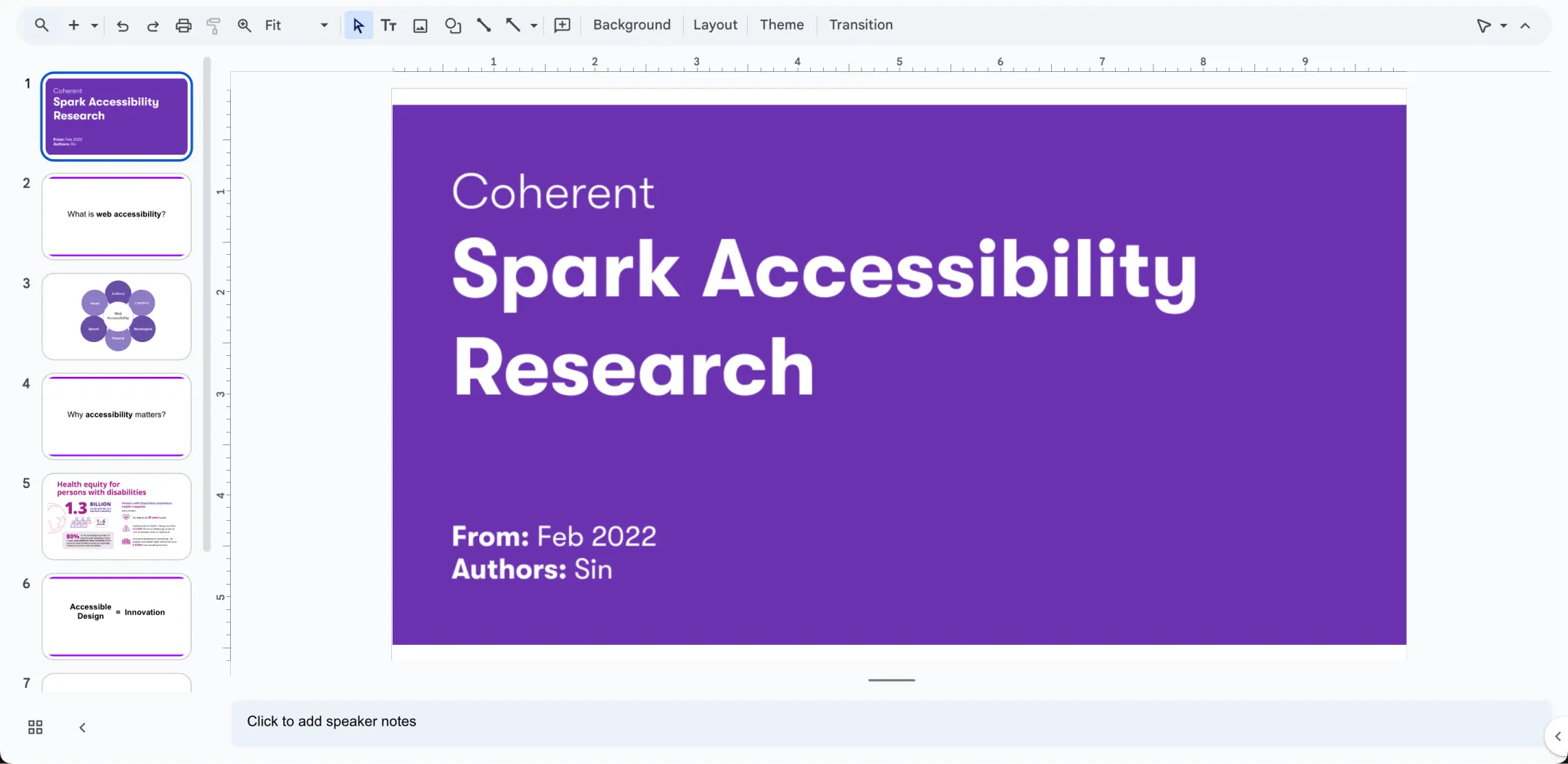
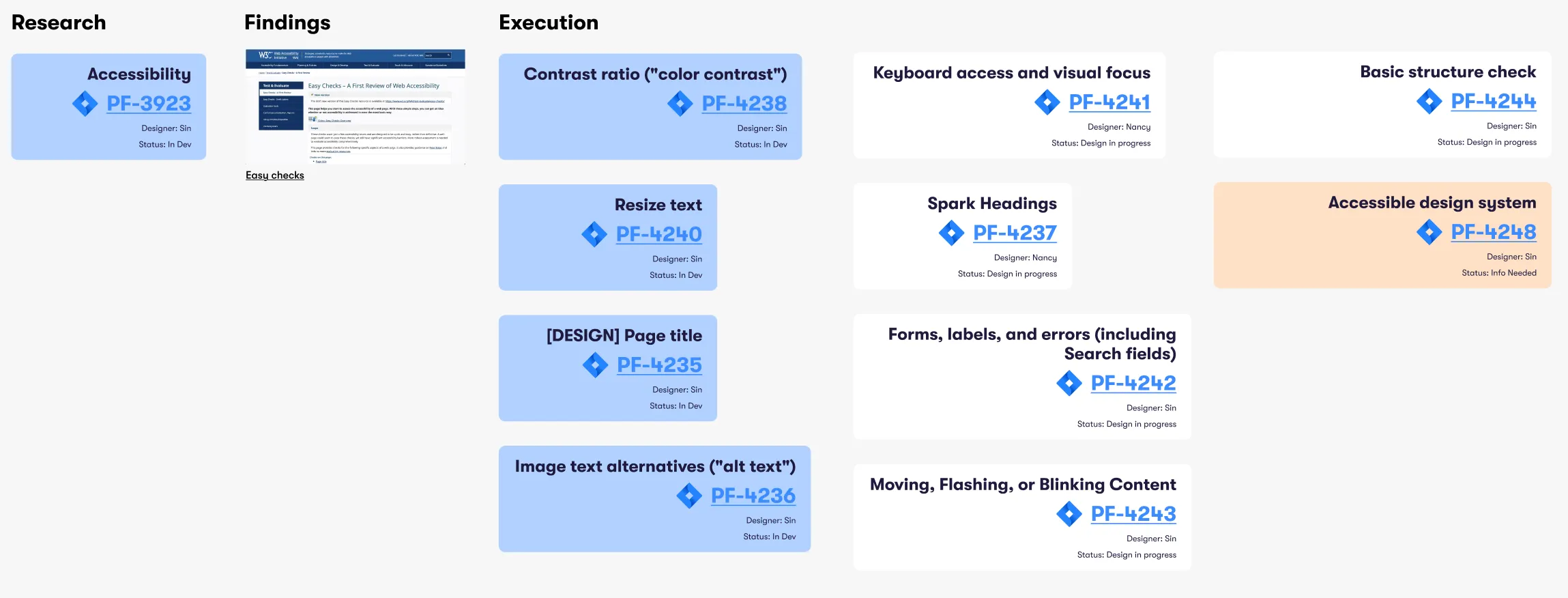
While redesigning API key management, I ran an accessibility audit and found issues that extended across Spark’s shared components, including color contrast, missing interaction states, text scaling, heading hierarchy, keyboard order, and form labels.
The audit also revealed accessibility limitations in some of the Ant Design components we relied on. The team began evaluating Material UI as a possible foundation for the design system, while recognizing that accessibility would still depend on how components were implemented and tested.
Usability Improvements
I retested the redesigned experience using the same core tasks: finding API groups and keys, creating keys, and managing key states.
Participants rated task ease on a 10 point scale. Test 1 shows the existing experience and Test 2 shows the redesign, completed by the same five participants.
Because the study involved five participants, I treated these as usability evidence rather than proof of broader business impact.
Average task time dropped 20.5%, from 17.1s to 13.6s, making API key management faster.
Average ease-of-use ratings increased 17%, from 8.1/10 to 9.5/10.
| Task | Test 1 (original) | Test 2 (redesign) |
|---|---|---|
| View API Groups and API Keys | 12 | 8 |
| Create New API Group | 20 | 16 |
| Add API Key to a Group | 24 | 26 |
| Deactivate API Keys | 21 | 16 |
| Extend API Keys | 12 | 7 |
| Reactivate Deactivated API Keys | 16 | 12 |
| Check Who Deactivated an API Key | 15 | 10 |
| Task | Test 1 (original) | Test 2 (redesign) |
|---|---|---|
| View API Groups and API Keys | 7.6 | 9.2 |
| Create New API Group | 7.6 | 9.0 |
| Add API Key to a Group | 7.8 | 9.4 |
| Deactivate API Keys | 8.0 | 9.4 |
| Extend API Keys | 8.6 | 9.8 |
| Reactivate Deactivated API Keys | 8.4 | 10 |
| Check Who Deactivated an API Key | 8.8 | 9.4 |
After Launch
The redesigned API key management experience shipped.
Customer Success estimated about 13% fewer API key related support requests after launch. I treat this as a post launch signal rather than a directly measured causal result.
Reflection
The biggest lesson was that simplification does not always mean removing steps.
Separating group selection from key management added one click, but gave each screen a clearer purpose and made the growing system easier to navigate.
The accessibility audit also pushed the work beyond one feature. Repeated issues across shared components showed that some problems needed to be addressed at the system level rather than screen by screen.